Practical informations
Getting Help
All scripts provide detailed help information:
python [script_name] --help
This displays:
Complete usage syntax
Detailed option descriptions
Input/output file requirements
Practical examples
Default values
tmux usage
If you are processing the data directly on the first machine (kamua), we recommand using tmux:
tmux new -s first_pipeline
or if it already exists:
tmux a -t first_pipeline
$DETDATA alias
You can go to the data directory directly with the command cd $DETDATA
runPL_dfits
It shows the most important parameters of header:
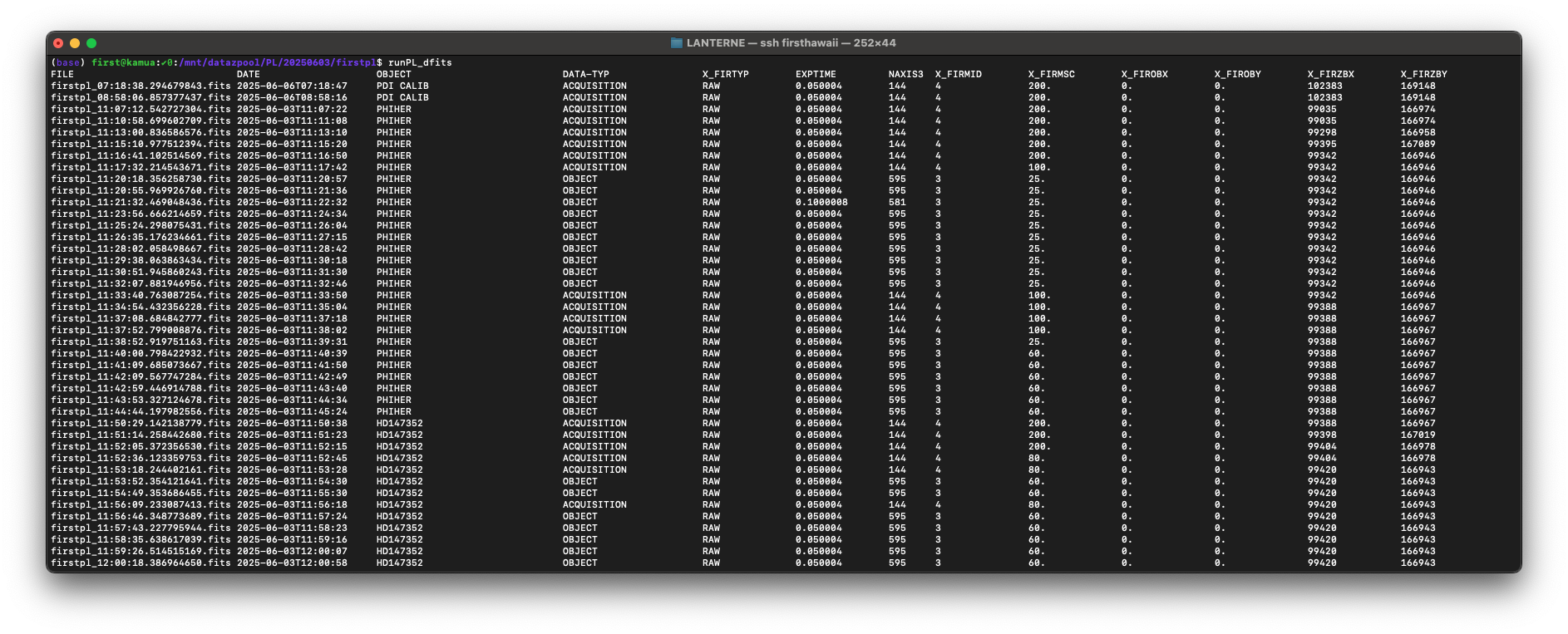
Note that it needs dfits to be installed. It can be found there: https://github.com/granttremblay/eso_fits_tools
runPL_changeKeyword.py
change the important DPR keywords of files (for exemple, to mark a DARK if not properly taged).
This is, for example, useful when we are changing the Wollaston and the keywords are not properly set. In that case, a typical use would be:
runPL_changeKeyword.py firstpl_08:03:23.046790629.fits firstpl_08:05:07.698580687.fits -w OUT
check runPL_changeKeyword.py --help to see which keywords can be changed
download all preproc data to the gravity machine
run sh_copydatatoGravity.sh in the tmux terminal and go have some sleep